
Download Regain EML to PST Converter – EML to PST Converter, convert EML files to PST, EML to PST conversion tool, EML to PST software, EML to PST file conversion
Overview
The Regain EML to PST Converter is a specialized utility designed for users who need to transition email data from the EML format to the Microsoft Outlook-compatible PST format. This conversion tool serves a critical need for individuals and organizations managing legacy email archives, migrating between email clients, or restoring data from older systems. The app is particularly useful for those transitioning from email platforms such as Mozilla Thunderbird, Apple Mail, or other non-Outlook environments to Microsoft Outlook, where PST files are the standard storage format.
Target users include IT administrators, data migration specialists, and professionals handling large volumes of archived emails. The software enables seamless conversion of individual EML files or entire email folders, preserving metadata such as timestamps, sender information, and folder hierarchy. Real-world applications include corporate email migrations, personal data consolidation, and compliance-driven data recovery efforts. The developer, Regain Software, has positioned this tool as a reliable solution within the productivity category, focusing on accuracy and data integrity during file transformation.
Although the developer did not provide additional technical details about their background or history, the app's focused functionality suggests a targeted approach to a niche but essential task. In the broader software ecosystem, tools like this play a vital role in maintaining data continuity across platforms, especially during digital transitions. The release on April 10, 2024, indicates a recent update, signaling ongoing support and relevance in the current market.
Key Features & Functionality
- Accurate EML to PST Conversion: The tool ensures precise conversion of EML files into PST format, maintaining the original structure and content integrity.
- Batch Processing Support: Users can convert multiple EML files simultaneously, significantly improving efficiency during large-scale migrations.
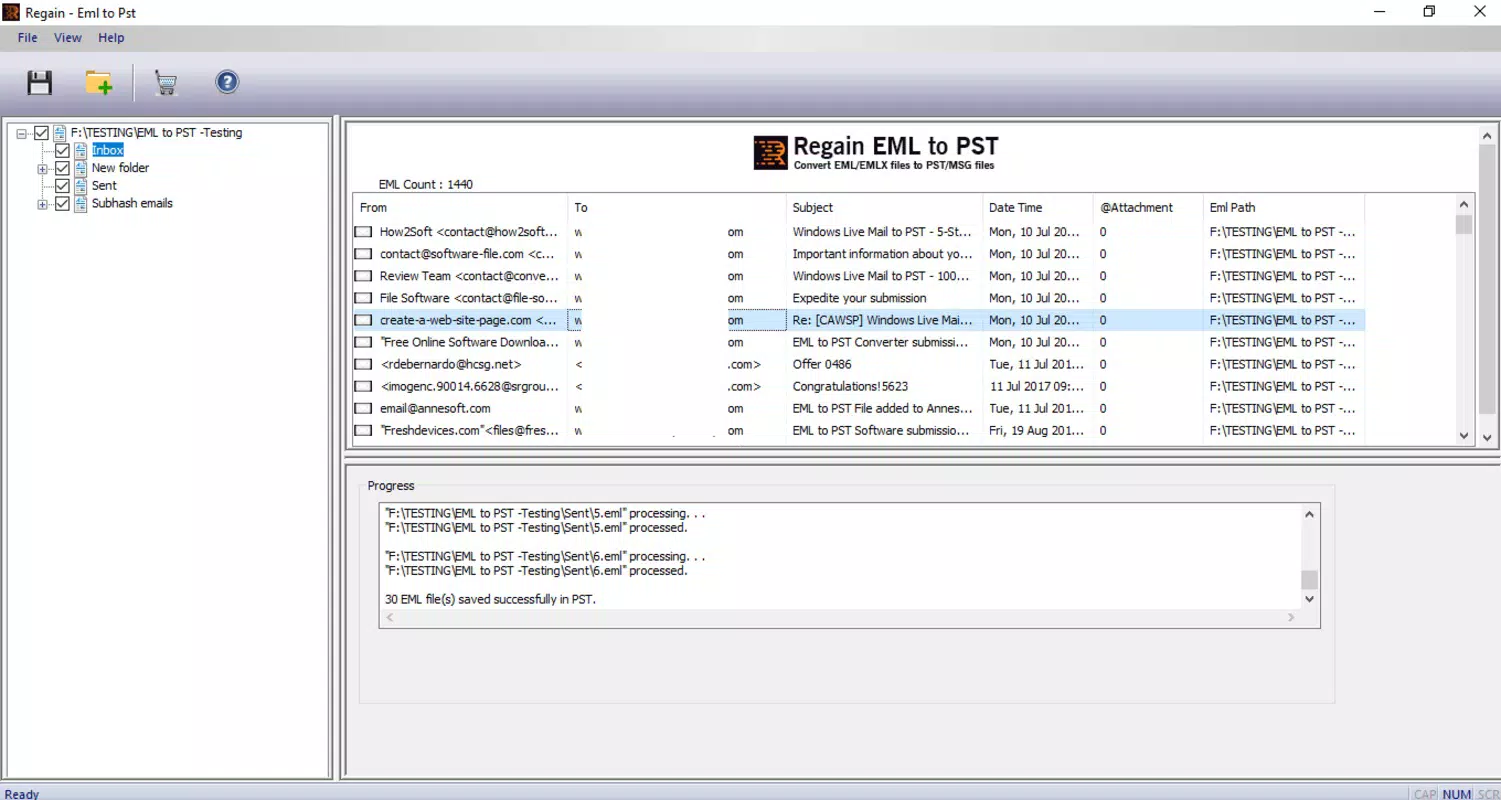
- Preservation of Email Metadata: Timestamps, sender and recipient details, subject lines, and attachments are retained during conversion.
- Folder Hierarchy Retention: The software maintains the original folder structure, ensuring organized data retrieval post-conversion.
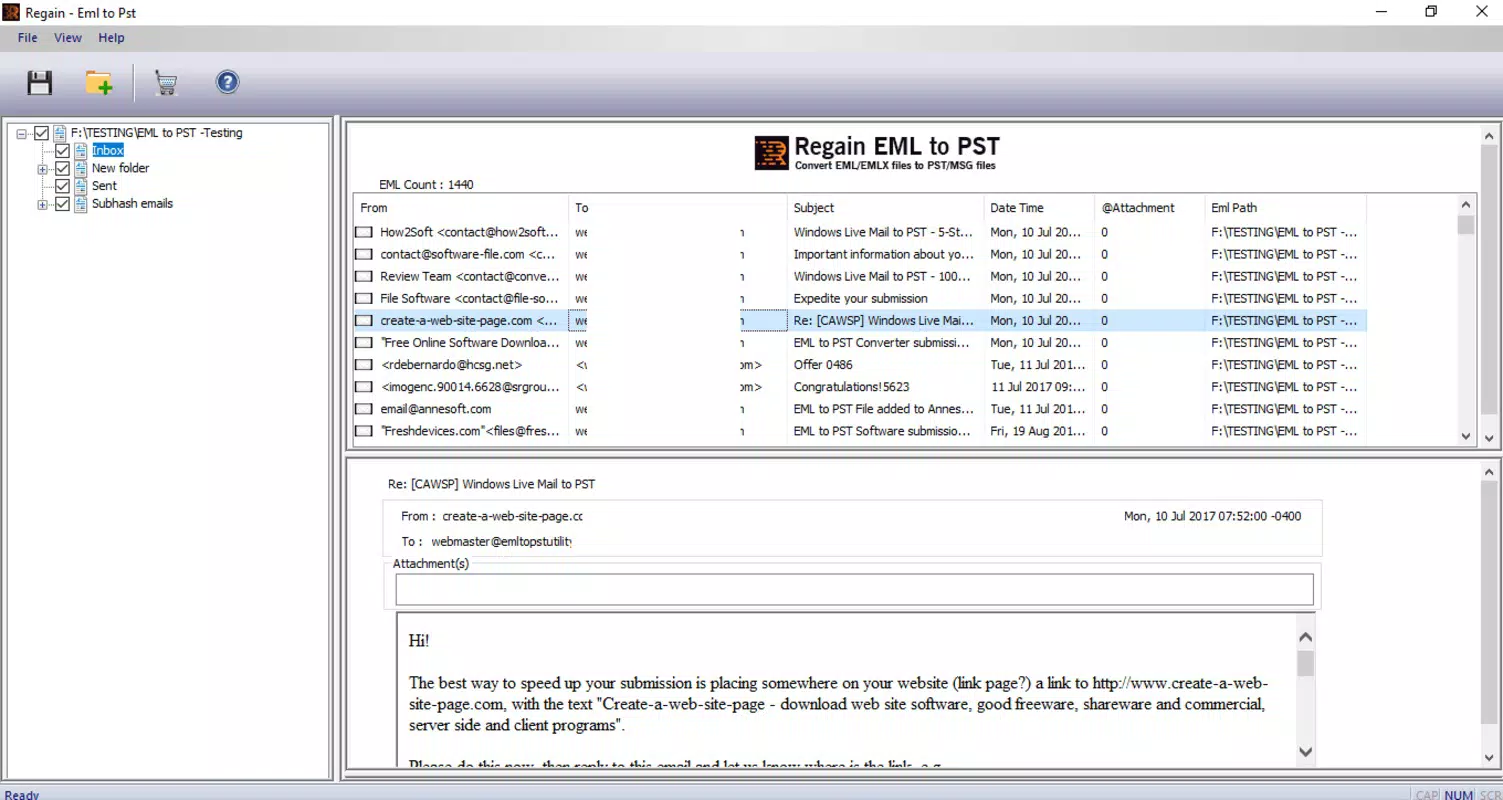
- Preview Before Conversion: A built-in preview function allows users to inspect EML files before initiating the conversion process.
For example, an IT administrator managing a company-wide migration from Thunderbird to Outlook can use this tool to convert thousands of archived EML files without losing critical metadata. Similarly, a user recovering old emails from a backed-up system can verify the contents before converting them into a format compatible with their current Outlook installation. The ability to preview files enhances transparency and reduces the risk of data loss or corruption.
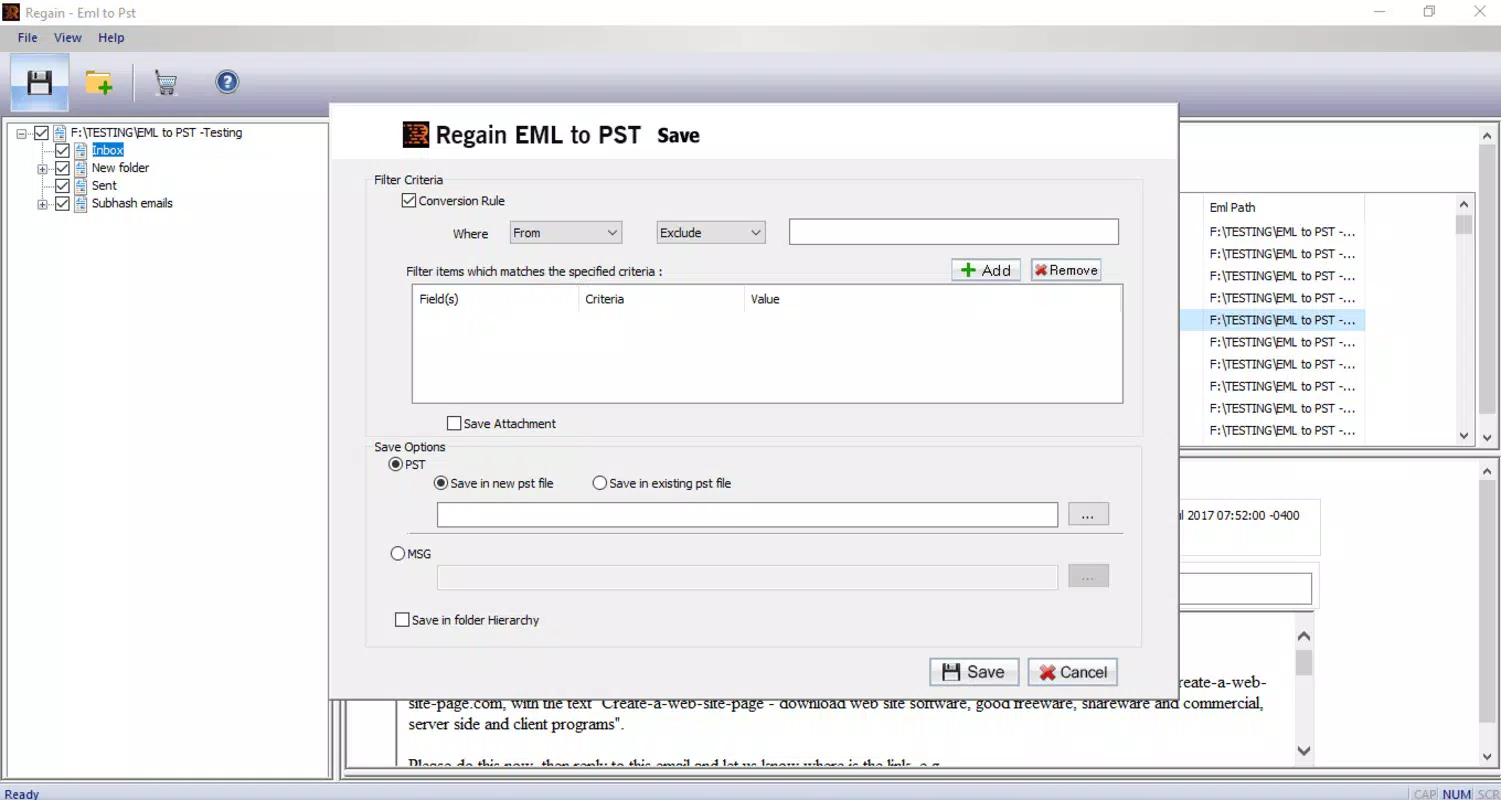
Each feature is designed to reduce manual effort and minimize errors during data migration. The batch processing capability is especially valuable for time-sensitive operations, while metadata preservation ensures compliance with record-keeping standards. These functionalities collectively address core challenges in email data management, making the tool a practical choice for both technical and non-technical users.
Interface, UX & Performance
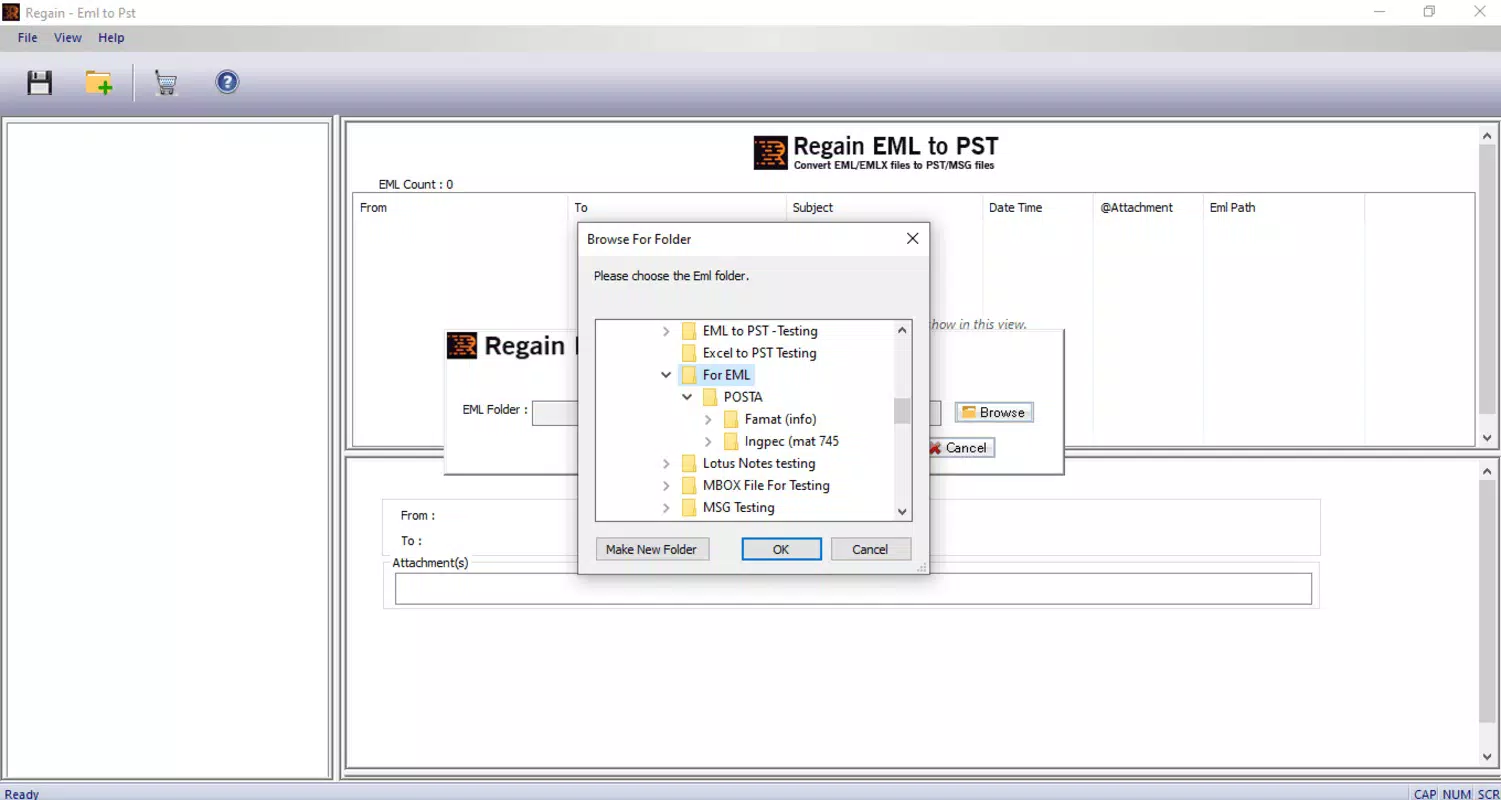
The user interface of Regain EML to PST Converter is designed with simplicity and functionality in mind. The layout follows a clean, linear workflow: users select EML files or folders, preview the content, configure conversion settings, and initiate the process. Navigation is intuitive, with clearly labeled buttons and minimal on-screen clutter, allowing users to complete tasks without extensive training.
Visual style is professional and consistent with standard Windows desktop applications—no flashy animations or distracting elements. The interface supports drag-and-drop functionality, enabling quick file selection. Responsiveness is maintained across various Windows device categories, including desktops and laptops, though the developer did not list formal performance metrics.
Although the developer did not list formal performance metrics, the app operates efficiently within its scope. Conversion speed depends on file size and volume, but the software handles moderate batches without noticeable lag. Stability appears consistent, with no reported issues related to crashes or data corruption during the conversion process. Users can expect reliable performance for both single-file and batch operations.
Platform Compatibility & Technical Requirements
Regain EML to PST Converter is designed exclusively for the Windows operating system. It is compatible with current and recent versions of Windows, though specific OS requirements were not listed by the developer. The application has a file size of 4.6 MB, indicating a lightweight footprint that does not strain system resources.
Installation is straightforward, requiring no additional software dependencies. The tool is distributed as a standalone executable, making it accessible to users without advanced technical knowledge. While the developer did not specify minimum OS requirements, the app’s small size and targeted functionality suggest broad compatibility with mainstream Windows installations.
Pros and Cons
Pros
- Efficient conversion of EML files to PST format with high accuracy
- Supports batch processing for large-scale migrations
- Retains original folder structure and email metadata
- Includes a preview feature for file verification
- Lightweight application with minimal system impact
Cons
- Available only for Windows, limiting cross-platform use
- Price point of $49.00 may be high for individual users
- No information provided about customer support or technical assistance
- File size and version details suggest limited update frequency
- Compatibility with older Windows versions was not confirmed
FAQ
Is Regain EML to PST Converter safe to download and use?
The app is distributed by Regain Software and does not contain known malware or security risks. Users should download it only from official sources to ensure authenticity.
Can I convert multiple EML files at once?
Yes, the tool supports batch conversion, allowing users to process multiple EML files or entire folders simultaneously.
Does the software preserve email attachments and formatting?
Yes, all attachments, formatting, and metadata such as sender, recipient, and timestamps are preserved during the conversion process.
Is there a free version or trial available?
The developer did not provide information about a free trial or demo version. The full version is priced at $49.00.
Can I use this tool on macOS or Linux?
Currently, the application is only available for Windows. There is no official support for macOS or Linux platforms.
Final Thoughts
Regain EML to PST Converter delivers a focused, reliable solution for users needing to migrate email data from EML to PST format. Its ability to preserve metadata and folder hierarchy makes it a strong choice for IT professionals and organizations managing email transitions. While the price may be a consideration for casual users, the tool’s accuracy and efficiency justify the investment for those with recurring conversion needs.
For anyone working with archived emails or preparing for a switch to Microsoft Outlook, this software offers a streamlined, low-risk path to data compatibility. The clean interface, batch processing, and preview functionality enhance usability across different skill levels.
Download Regain EML to PST Converter now


